MBR Color Corrector 3
MBR Color Corrector 3 is a video filter designed to automatically color correct / grade clips.
Color Correction
MBR Color Corrector is designed to automatically color correct clips. The filter works by examining all color patches on a reference color chart and calculating how best to fix the footage.
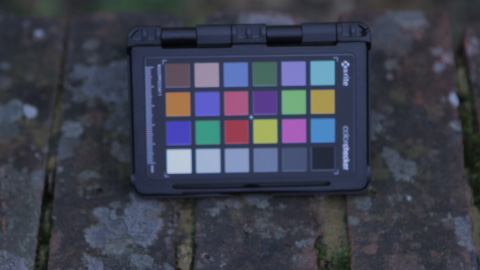
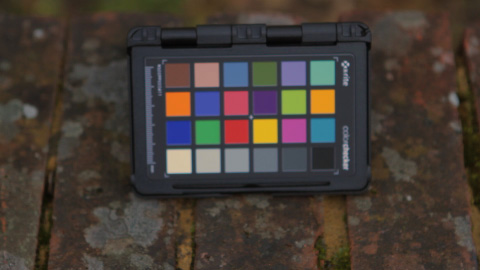
Example footage from a Canon 7D camera, before and after automatic color correction.
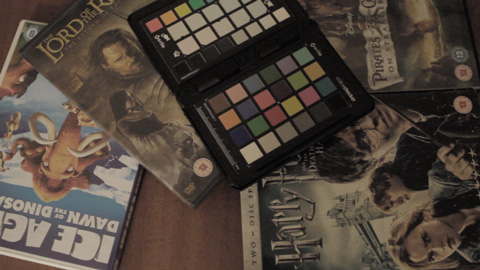
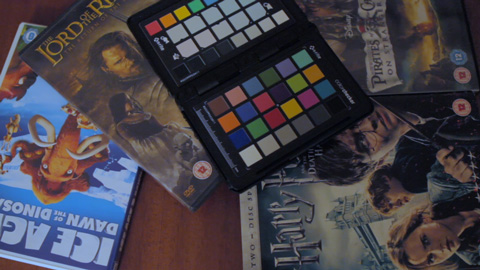
As the automatic correction looks at all the color patches, it can easily correct saturation and white balance problems simultaneously.
Supported Color Charts
MBR Color Corrector 3 supports several color charts:
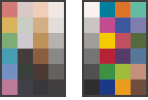 Datacolor SpyderCHECKR
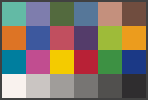 Datacolor SpyderCHECKR 24
 DGK Color Tools DKK 5x7
 DSC Labs (SMPTE) One Shot Plus
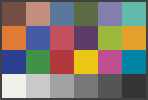 Calibrite/X-Rite ColorChecker Classic
 Calibrite/X-Rite ColorChecker Video
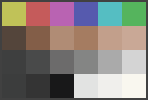 Calibrite/X-Rite ColorChecker Passport Video
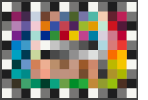 Calibrite/X-Rite ColorChecker Digital SG
If you currently don't have any of these cards and need to choose which card to purchase, I've tried to document my thoughts.
Clip Matching
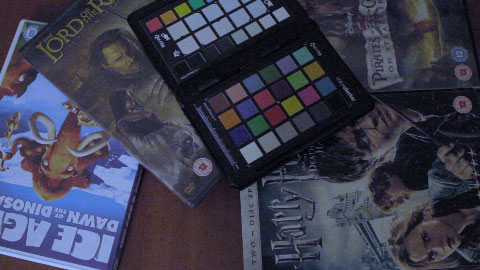
It is possible to change the desired (target) colors, this makes it easy to match the look of a clip against a reference look. The example shows the second clip adjusted to match the first.
Intuitive and Powerful Interface
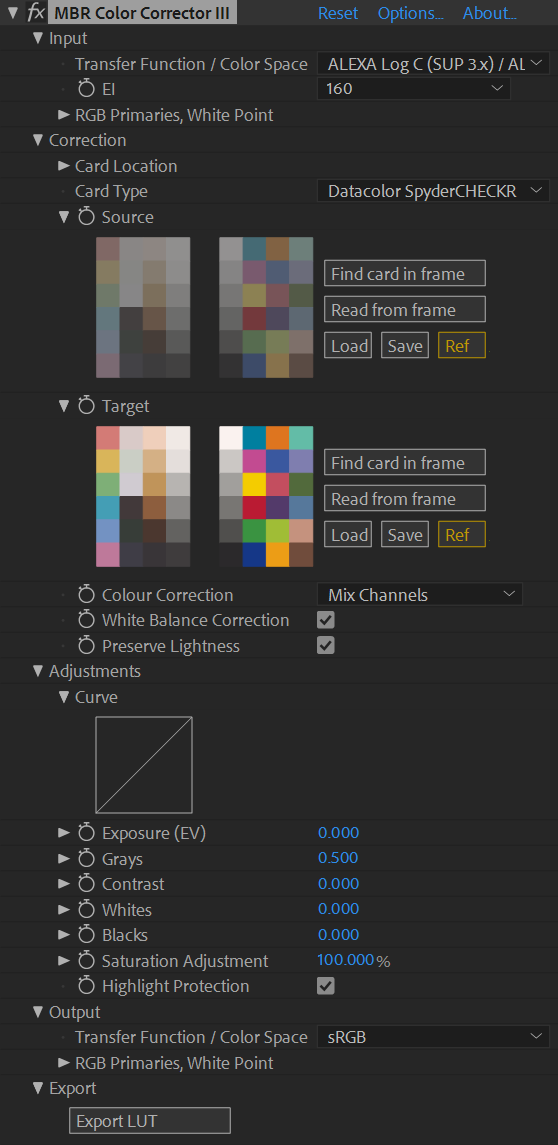
The effect interface makes it clear what information the filter is using to correct your footage.
In this case the filter is setup to take log footage from an ARRI camera and
produce sRGB footage suitable for a computer.
The Save
button can be used to save a set of color patches,
which can then be loaded into many clips for use as the target card.
Transfer Functions / Color Spaces
The filter can input and output footage in a wide variety of formats:
- Display formats:
- sRGB and Linear sRGB
- Rec 709 and 2020
- Rec 2100 PQ (Perceptual Quantizer) and Rec 2100 HLG (Hybrid Log-Gamma)
- DCI-P3 D65 and Theater
- Log formats from cameras:
- ALEXA Log C (Sup 2.x and 3.x)
- Blackmagic Film on the following cameras:
- Blackmagic Cinema Camera
- Blackmagic Micro Cinema Camera
- Blackmagic Pocket Cinema Camera
- Blackmagic Pocket Cinema Camera 4K
- Blackmagic URSA Mini 4K
- Blackmagic URSA Mini 4.6K
- Blackmagic URSA Broadcast
- Canon Log (1, 2 and 3)
- DJI Cinema System (D-Log / D-Gamut)
- Fujifilm F-Log and F-Log2
- GoPro ProTune Flat
- Leica L-Log
- Nikon N-Log
- Panasonic V-Log
- Sony S-log (1, 2 and 3)
- Many cameras have an Hybrid Log-Gamma mode that refers to Rec 2100 HLG, which is supported
- Industry formats:
- DCDM X'Y'Z'
- ACES 2065-1, cc, cg and proxy
Export LUT
The full version can export a LUT file, this allows you to easily apply the same look to footage in other editing software.
Find out More
The easiest way to understand how the filter works is to download the trial version.
Another way to understand how the filter works is to read the manual.
Trial Version
The trial version is a cut down version, but maintains the key functionality without critical impediments such as watermarks or limited duration.
The main restrictions are that the trial version only works with 8bits per channel and it may only be used for non-commercial projects (or evaluating the filters suitability for a commercial project). The full list of benefits for purchasing the full version are outlined in the section below.
Full Version
Benefits of the Full Version:
- Can be used for commercial projects.
- Enables full use of the adjustment curve and the export LUT features.
The full version of the filter costs £50 per computer, and can be purchased online. Before you purchase, it is strongly recommended that try the trial version on your machine to check compatibility. If have you previously purchased MBR Color Corrector, please goto the download page to get a free upgrade to MBR Color Corrector 3.
Supported Video Editing/Effects Hosts
MBR Color Corrector 3 has been tested in the following host programs: Adobe After Effects, Adobe Premiere Pro and Adobe Media Encoder for Windows and Macintosh.
macOS Catalina (10.15), Big Sur (11.0) and later require an extra step when installing.
Download
If you wish to download an updated version of MBR Color Corrector please goto to the download page.
Support
For all support queries, please email support@mattroberts.org
Please check the troubleshooting / known issues page with before emailing as it is faster.